Your supplement label, print-ready in minutes. Not days.
No graphic designer. No back-and-forth. Upload photos of your bottle and get a print-ready PDF for $10.00 a label once your access is approved, with bleed, CMYK and vector artwork, no Adobe Illustrator needed.
Label Studio is open by invitation while we roll it out. Requesting access creates your account, but you can only make labels after we approve it. Nothing is charged to request access.
Made for sellers on
No in-house designer? You don’t need one.
Most supplement sellers rely on freelancers for every label. That means waiting, paying per version, and chasing files. Here is the difference.
Hiring a freelance designer
- 💸 Public listings on Fiverr, 99designs and Dribbble run from under $50 to about $850 for one label
- ⏳ Delivery of 2 to 10 days, then more days for each round of changes
- 🔁 Revisions are capped, and extra versions or products often cost extra
- 📁 Files get lost, and the wrong format reaches the printer
- 🙋 You wait for someone else’s schedule every time you add a flavour or size
Examples from public seller listings (Oct 2026), not a survey. Your costs may differ.
With Label Studio
- ⚡ Minutes, not days. About 2 minutes for a finished label
- 💵 $10.00 a label. Pay only when you start
- ✏️ Change any word or colour yourself, instantly, free
- 📦 Every label saved in one place, ready to download again
- 🧩 Add 10 flavours in an afternoon, not 10 weeks
You still check every word before printing, and we flag anything unclear. That is how you keep control.
The whole system, at a glance
Watch it work: your photos go in, a print-ready file comes out, and every label is saved for next time.
📷 📄 🧩
You add your source
Photos, an old label file, or a template and an example look
⚙️
Label Studio reads, checks and draws
Reads twice, checks the doses, redraws the art, builds the PDF
🧑💻
You review and edit
Change anything in plain words, as often as you like
🗂️
Saved in your library
Every label is kept and searchable for next time
📄
Print-ready PDF
Bleed, CMYK and vector, ready for any printer
🖨️ 🛒
Printer, shelf and listings
Print the labels, put them on your bottles, and sell
From photos to a labelled bottle in 6 easy steps
No design software. If you can upload a photo, you can make a label.
Steps 1 to 4 take about two minutes. Printing and applying the labels happen at your printer and on your line.
See what comes out
Real labels from our engine, for every kind of supplement. Pick a type.
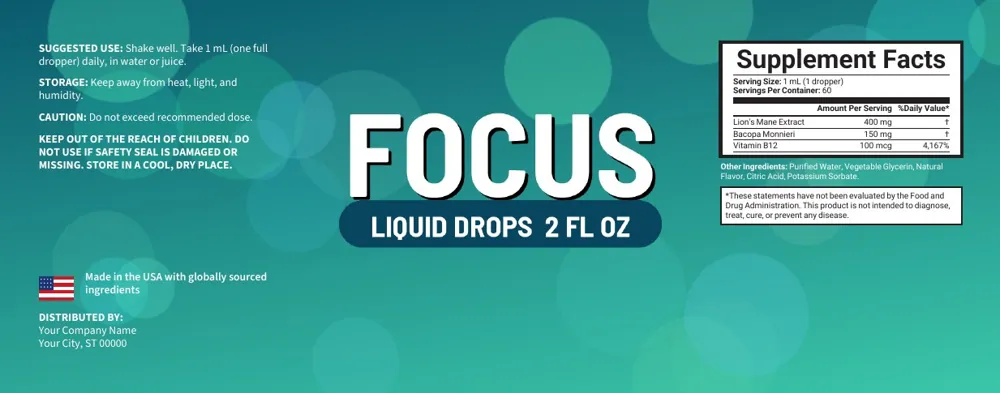
Dropper bottles and liquids: small labels, tight text, still sharp.
The example labels use fictional brand names.
Just say what you want changed
No menus to learn. Type the change in everyday words, the way you would message a designer. It is done in seconds, and you can do it as many times as you like.
Ask for a change
The PDF is rebuilt in a few seconds. Changes to text and colours are free.
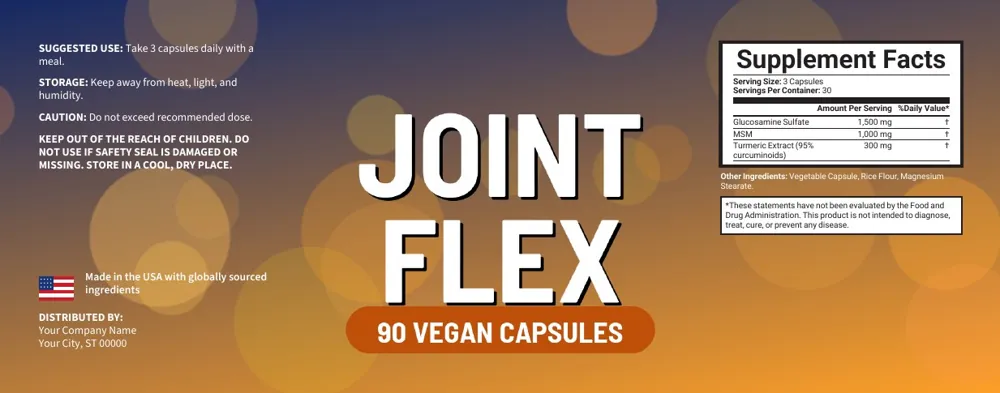
Things you can ask for
- • “Make the background darker”
- • “Change the tagline to …”
- • “Add Gluten free as a badge”
- • “Make the directions say take 1 capsule daily”
- • “Use the distributor name …”
How it stays safe
- • It changes only what you asked, and tells you what it changed in one sentence
- • It never touches doses, amounts or ingredients unless you ask for that exact change
- • If it cannot do something, it changes nothing and says why
For the artwork
Use “Redraw artwork” with an optional note, such as “bigger logo, no leaves”. You get 3 redraws per label. Resizing the label is a separate, free button.
The part printers care about
A real print-ready PDF. Not a screenshot.
Every label downloads as a file your printer can use right away. No Adobe Illustrator, Photoshop or InDesign needed. You do not need to know what a dieline is.
Bleed is a thin extra border (0.125 in / 3 mm) that is printed past the cut line. It stops white edges when the label is trimmed. Your PDF already includes it, with the trim and bleed boxes set.
- ✔ Embedded fonts
- ✔ Your exact label size
- ✔ Free to switch options
- ✔ Download again any time
bleed edgetrim line: where it is cutAll your labels in one place
Make it once, find it later, change it any time.
Your label library
Every label you make is saved to your account. Search by name or tag, sort by newest, name or size, and download the PDF again whenever you need to reorder.
Templates
Upload labels you already approved. New labels can copy their look, or use one as your template so every word, including the Supplement Facts, comes from it.
Example labels
Love how another label looks? Upload it as an example. We copy the design, not the words. We look for other companies’ logos and try to leave them out, and we tell you if we could not confirm it.
Text, your way
Every word is editable: directions, Supplement Facts, distributor, legal lines. What you type is printed exactly as typed. Unclear text is flagged, never guessed.
Revisions included
Change text and colours as often as you like, free. Ask for changes in plain words. Redraw the artwork up to 3 times. Resize the label without paying again.
History and storage
A record of everything you made: what, when, who and the cost. The first 100 saved labels are included, and more storage is available if you need it.
Put it on shelves and listings
The same label works in a store, on a marketplace, or on your own site.
Illustrative storefront — no customer rating or results
Illustrative storefront — no customer rating or results
Illustrative storefront — no customer rating or results
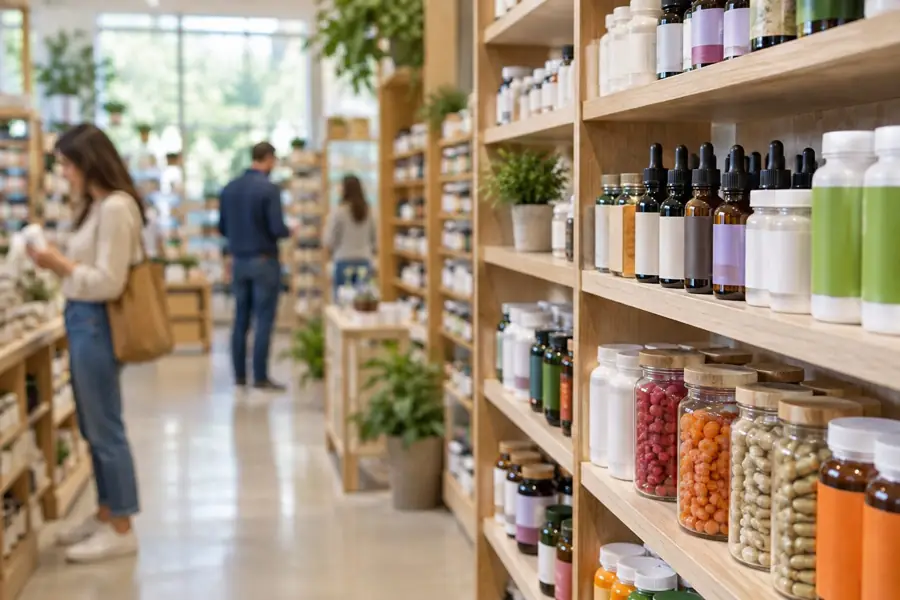
On the shelf, in a real store
Amazon
A new label for every product, size and bundle you list.
eBay
Clean, correct labels for every listing, fast.
Walmart.com
Print-ready packaging files for marketplace sellers.
TikTok Shop
Launch new flavours and variants as fast as trends move.
Shopify
Labels that match the brand of your own store.
WordPress / WooCommerce
Labels for products sold on your own website.
Platform names are trademarks of their owners. Label Studio is independent and not affiliated with or endorsed by them.
Print it on almost any label printer
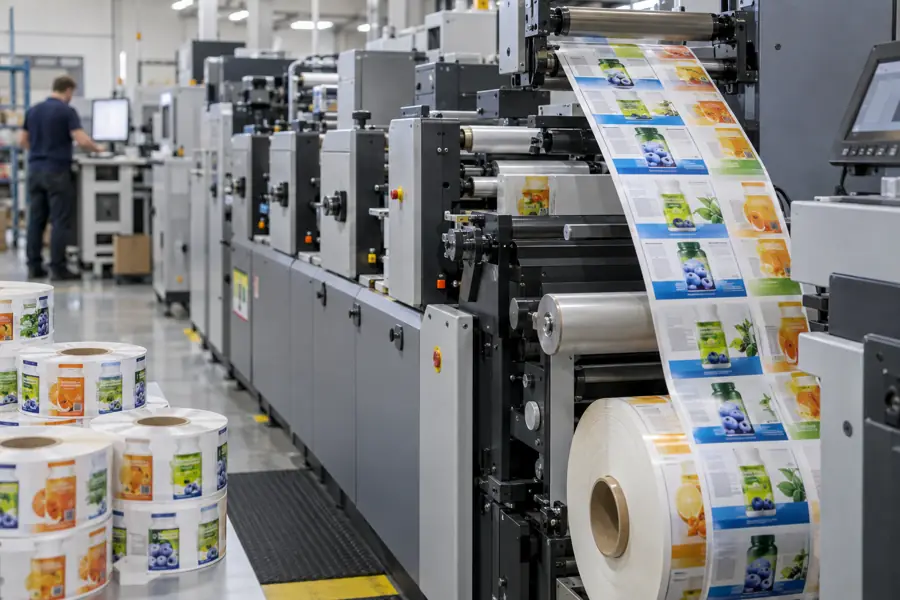
Most supplement label printers and print shops accept a print-ready PDF with CMYK colour, bleed and embedded fonts. That is exactly what Label Studio gives you.
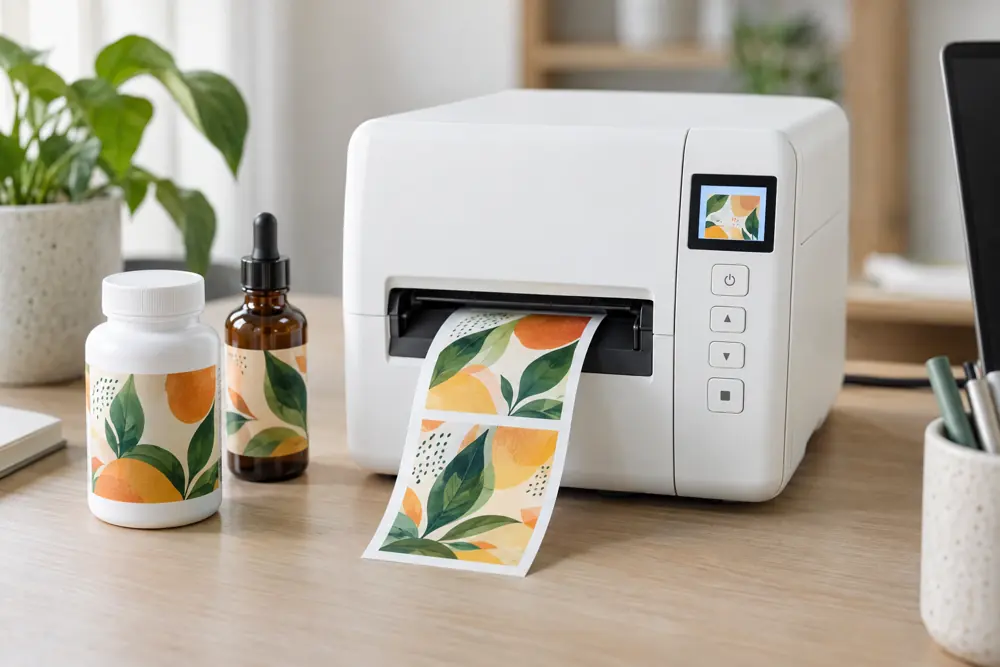
Then a labeling machine (or a person with a steady hand) puts the label on each bottle. Your PDF is the only file the printer needs.
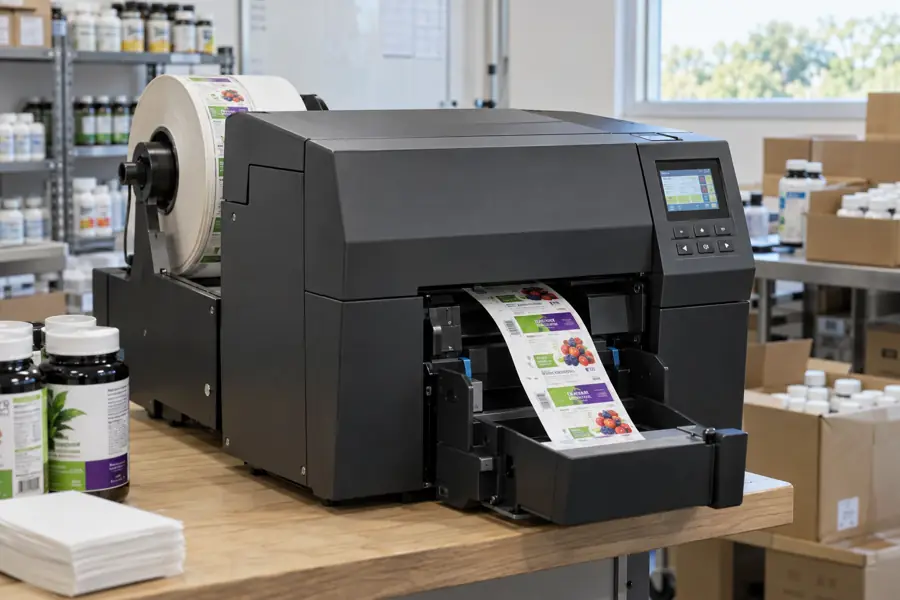
Desktop colour label printers
Print small runs in your own office
- • Epson ColorWorks (C6000 / C7500 series)
- • Afinia Label (L-series colour printers)
- • Primera (LX and CX series)
- • Other colour label printers that accept a PDF
Digital label presses
What professional label shops run
- • HP Indigo
- • Epson SurePress
- • Xeikon
- • Konica Minolta AccurioLabel
- • Domino
- • Durst
- • Mark Andy digital presses
Label printing services (USA)
Upload the PDF, they print and ship
- • Consolidated Label
- • Labeltronix
- • Resource Label Group
- • Multi-Color Corporation
- • CCL Label / Avery
- • OnlineLabels.com
- • Sticker Mule
- • StickerGiant
- • Lightning Labels
Worldwide
Large international label makers
- • CCL Label
- • Multi-Color Corporation
- • Avery Dennison / Avery print services
- • Local label printers in your country
Common questions
Plain answers for people who have never used the system. Tap a question to open it.
Getting started
+What is Label Studio, in one sentence?
It is a website that makes the print file (a PDF) for your supplement bottle label from photos of your product, so you do not need a graphic designer.
+Do I need design software or design skills?
No. You do not need Photoshop, Illustrator or any design program. If you can upload photos and type, you can make a label.
+What do I need to have ready?
Three things: 1. Photos of your product. A photo of the front, and a clear photo of the Supplement Facts panel on the back. You can use pictures from your Amazon listing. 2. The size of your label in inches (width and height). Your printer or bottle supplier can tell you. 3. Your details for the "Distributed by" lines, which you can save once. No photos? You can upload an old label file (PDF, JPG or PNG) and we rebuild it.
+How long does it take?
Usually about 2 to 3 minutes from pressing Start to a finished label you can review. A designer typically needs days.
+Is it open to everyone yet?
Label Studio is opening step by step. If it is not open for you yet, you will see a short notice after you sign in, and you can come back soon.
Money
+How much does it cost?
the price shown above per label if you pay as you go. Prepaid packs bring the price per label down: the pack prices are shown in the pricing section on this page. There is no subscription and no monthly fee, except optional extra storage if you ever need more than 100 saved labels.
+When am I charged?
Only when you press Start on a new label, taken from your credit balance. Creating an account is free, and so is looking around.
+What if it cannot read my photos?
Then you are not charged. If something is only partly readable, we list it for you to fix, and you can add one extra photo for free per label.
+What is included in the price of a label?
Reading your photos, building the label, unlimited changes to words and colours, up to 3 artwork redraws, 5 comparisons with your approved labels, and free resizing and print options (vector, CMYK). New photos count as a new label.
+Is paying safe?
Yes. Cards are processed by Stripe, a payment company used by millions of businesses. We never see or store your card number. For any single charge of $100 or more we also ask your card’s bank for extra verification (called 3-D Secure). Whether you see a confirmation step, such as a code or an app approval, is the bank’s decision.
Your label
+Will the label look exactly like my product photos?
It will look very close, but not identical. The artwork is drawn again by AI, so small details can differ. Check the logo spelling and colours in the preview. You can ask for a redraw or tell it what to change.
+Can I change the words?
Yes, every word: the directions, Supplement Facts, ingredients, distributor and legal lines. Whatever you type is printed exactly as you typed it. We never change it back.
+Who checks the doses and ingredients?
You do. We read your photos twice and flag anything unclear or different between the two readings. If we cannot read a dose, we leave it empty and tell you, we never guess. Always compare the final label with your product and your legal requirements before printing.
+What are "templates" and "example labels"?
A template is a label you have already approved. If you use one as your template, every word on the new label (including the Supplement Facts) is taken from it, so you reuse approved wording. An example is any label whose design you like, even from another company. We copy the look but not the words. We also look for other companies’ logos on the example and try to leave them out, and we tell you on the label whether we could confirm they are gone. Always check the artwork. Both work with the label you are building. Open "Approved labels" in the menu to add them.
+How do I ask for a change in plain words?
On your label page, find the box called "Ask for a change". Type what you want the way you would tell a person, for example: "make the background darker green" or "change the tagline to Daily Joint Comfort*". Press the button and the label is updated in a few seconds, with a one-line note of what changed. It is free and you can do it as often as you like. It changes only what you asked for and never touches doses or ingredients unless you ask for that exact change. If your request is something it cannot do (like a new logo or a different size), it changes nothing and explains why. For new artwork use "Redraw artwork"; for a new size use the size box.
+Can I change the label later?
Yes. Open it from "My labels", change any text or colour, resize it, or ask for changes in plain words. Then download the new PDF. Changes to text and size are free.
+Where are my labels kept?
All your labels are saved in one place in your account, searchable by name or tag and sortable by newest, name or size. The first 100 saved labels are included. You can download the print PDF again whenever you reorder.
+Who can see my labels?
Only you, and anyone you add to your account. Your photos, labels and approved labels are private.
Printing
+What is a "print-ready PDF"?
It is a file your label printer can use as it is. Ours has the correct size, bleed, embedded fonts, and the option of CMYK colours and vector artwork. You send it to the printer, and you are done.
+What is "bleed"?
A thin extra border (0.125 inch, 3 mm) of colour that goes past the edge of the label. Printers cut through it, so you never get a thin white edge. It is already built into your PDF.
+What is CMYK?
The four inks printers use: cyan, magenta, yellow and black. Screens show colours differently (RGB). Switch on CMYK and your label is prepared for ink on paper. Colours can look a little duller on screen. That is normal.
+What is "vector" artwork?
Shapes instead of pixels. Vector logos and lettering stay perfectly sharp at any size. All your label text is vector already, and you can switch on vector for the artwork as well.
+Which printers can I use?
Almost any label printer or print shop that accepts a PDF: desktop colour label printers, professional digital presses and online label printers. See the list in the printing section. It is a partial list, and your printer can tell you if they need anything special.
Built to be trusted with your label
Safe payments
Cards are handled by Stripe. We never see your card number. For charges of $100 or more we ask your bank for extra verification (3-D Secure); the bank decides whether to show you a confirmation step.
Read twice, never guessed
We read your photos two times and compare. If they disagree, or a number is unclear, it is flagged for you. We never invent doses.
Your files stay yours
Your labels, photos and approved labels are private to your account.
You approve everything
Nothing is final until you check it. Every word is editable, and you download only when you are happy.
Label Studio is powered by the Marketplace Prosperity team, who build software for online sellers.
Questions? Talk to a person
Chat with us on WhatsApp or send an email. We are happy to help you get your first label out.
What it costs
Loading prices…
What you can customize
- Every word on the label, the Supplement Facts rows, colours, badges and label size.
- Your "Distributed by" details, printed automatically.
- Your own approved labels as style benchmarks, with a score comparing new labels to them.
- File names and search tags, plus a searchable history of everything made.